

I’ve always believed our phones are an extension of ourselves, modern-day lifelines tucked in our pockets. But in South Africa, they’re more than that. They’ve become targets for opportunistic criminals, looking for a quick payday or even worse – access to your bank account, identity theft and even leverage.
You don’t need to look far to see it. A friend loses their phone at a robot. A colleague gets cornered after dinner in Melville. A student in Durban looks away for a second and never sees her phone again. It’s a loop we’ve normalised, right up until it happens to us.
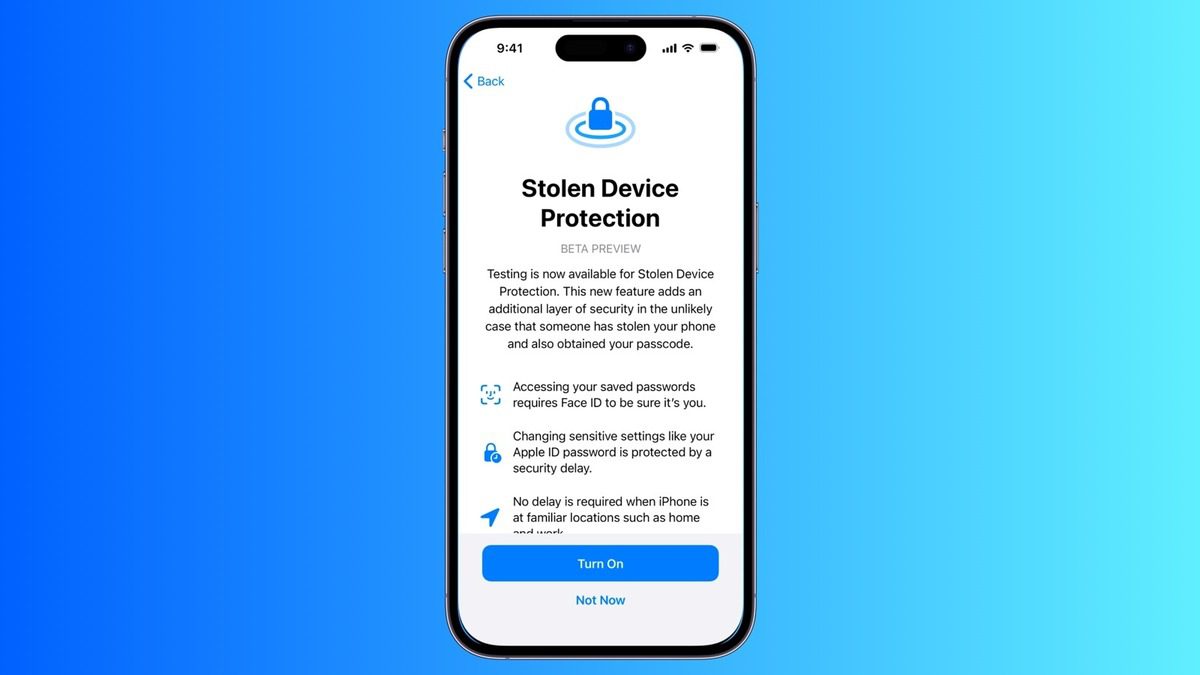
So when Apple quietly rolled out Stolen Device Protection, I didn’t see it as just another toggle in Settings. I saw it for what it really is: a quiet admission that digital identity theft is now part of the hardware threat model. And here in SA, where criminals don’t just want your phone but everything inside it, that matters.
The Reality We Live With
According to SAPS data , 189 phones are stolen every day in South Africa. That’s almost 6,000 a month. And that’s just what’s reported.
Phones are easy to snatch, easy to resell, and worse, they’re fairly easy to exploit. If the thief watches you enter your passcode, they can change your Apple ID, lock you out of iCloud, and drain your banking apps before you’ve even noticed it’s gone.
The One Feature That Changes the Game (Slightly)
Stolen Device Protection changes the game in your favour ever so slightly. Now, even if someone knows your passcode, they can’t access or change sensitive settings, like your Apple ID, Face ID, or Find My iPhone without biometric verification.
And in some cases, even if they somehow do pass the Face ID check, they’ll still have to wait through a one-hour delay before they can make key changes.
One hour might be all the time you need to lock your account, report the theft, or remotely wipe your phone.
This is not complete safety by any means, but it’s useful. And sometimes, that’s enough.
How to Switch It On
You need:
- iOS 17.3 or later
- Face ID or Touch ID activated
- Find My iPhone enabled
- Two-factor authentication on your Apple ID
- Location Services and “Significant Locations” turned on
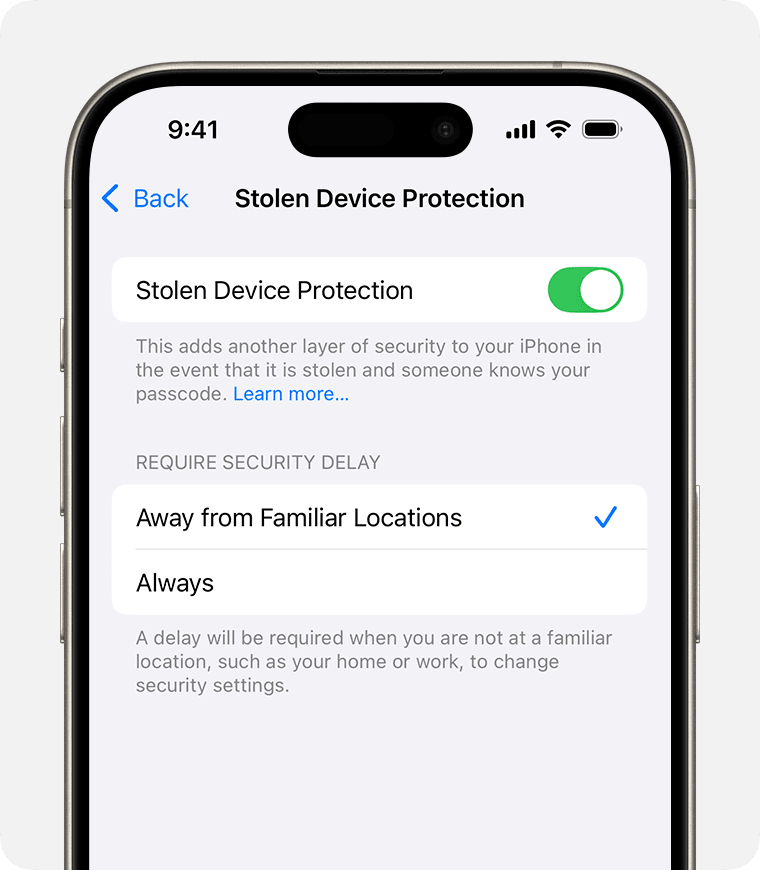
Then go to Settings → Face ID & Passcode → Stolen Device Protection and toggle it on.
Choose between:
- “Away from familiar locations” (home, work, etc.)
- “Always” (the safest option, especially if you’re on the move)
If you don’t see it yet, check that your biometric login and location settings are correctly set up. Apple’s rollout has been slightly fussy about it.
What This Means for South Africans
Let’s not get it twisted—this won’t stop someone from physically taking your phone. It won’t dismantle the syndicates flipping devices or the underground networks that thrive on reselling stolen tech.
But it will slow them down.
And in a country where SIM-swap fraud, instant banking hacks, and digital ID takeovers are happening daily, a delay, even a small one, can be a lifeline.
Final Thought
We’ve been waiting for Apple to give us something like this for years and now that it’s here, most people still don’t know it exists. That’s the part that bothers me.
It’s one thing to release a security feature. It’s another to tell people why it matters, especially in high-risk countries like ours. Because the stakes aren’t just inconvenience. They’re financial, emotional, and sometimes even physical.
So switch it on. Not because Apple said so. But because it’s one small step toward reclaiming some power in a world that keeps trying to take it away.
Akhram Mohamed is the Editor of Geekhub.co.za and a longtime tech insider who’s spent 20+ years testing, launching, and talking about consumer gadgets. Formerly a VP at Huawei, he now writes with a critical eye and a deep love for tech that actually makes life better. When he’s not breaking down the latest devices, he’s gaming, building businesses, simplifying strategy, or podcasting about real-world leadership. Expect honest takes, sharp insights, and the occasional dad joke.
Follow him on social media: @akreinvented
