
Close Menu

    Subscribe to our newsletter

    Get the latest Geekhub updates.

    Tuesday, May 19
    Geekhub
    Facebook X (Twitter) Instagram
    • Home
    • About us
    • News
    • Technology

      Sony Strengthens Its Alpha Lineup With the High-Performance 7R VI

      14 May 2026

      South African Businesses Can Now Accept Payments Using Only an iPhone

      12 May 2026

      Lesco’s Semi-Robotic Expansion Puts People Before Profit

      Lesco11 May 2026

      FNB’s Virtual Card Promise Is Not All It’s Cracked Up To Be

      8 May 2026

      BizPortal Triggers “Connection Is Not Private” Warning in Safari

      8 May 2026
    • Opinion

      The Great AI Performance: Diary Of A Recovering Suit

      30 April 2026

      Musk Takes the Stand, and a Silicon Valley Origin Story Starts to Crack

      29 April 2026

      The Best Marketing Sometimes Starts With a Dead End

      26 March 2026

      Nostalgia Isn’t a Business Plan: The Truth About 90s Reboots

      11 February 2026

      Convenience vs connection: The Problem With “Smart” Technology

      11 February 2026
    • Movies & TV

      Marvel’s New X-Men Movie Could Finally Capture What Made The Comics Special

      18 May 2026

      Batman Part II: The Most Emotionally Damaged Batman Universe Yet

      14 May 2026

      Liam Neeson Trades Action For Mystery In The Splendid Thing

      13 May 2026

      Ally: A Wild Cast Takes Animation Into Strange New Waters 

      13 May 2026

      Dennis To Returns To The World Of Ip Man In New Kung Fu Epic

      13 May 2026
    • Hardware

      After One Week With the OPPO A6k, Samsung’s Galaxy A Series Has Real Competition

      13 May 2026

      OPPO A6k arrives in South Africa with battery life that keeps up

      OPPO7 May 2026

      Apple’s Foldable iPhone Faces Engineering Delays Ahead of Expected 2026 Launch

      7 April 2026

      Samsung Might’ve Just Broken Apple’s Sneakiest Lock-In Trick

      30 March 2026

      The smartphone wars in South Africa aren’t really about phones anymore

      17 March 2026
    • Get In Touch
    Geekhub
    Home » Why Your iPhone Eats Mobile Data And How To Fix It
    Software

    Why Your iPhone Eats Mobile Data And How To Fix It

    Akhram MohamedBy Akhram Mohamed2 February 2026No Comments5 Mins Read
    Facebook Twitter LinkedIn Email WhatsApp Copy Link

    I have Wi-Fi at home, fibre – with speeds  that kinda makes you feel briefly superior when someone complains about buffering.

    This extends to my office and again, solid. Reliable enough that I don’t think about it.

    On top of that, I keep a 20GB mobile data bundle on my iPhone. Not for doom-scrolling in bed or Netflix marathons. Just for when I’m out at meetings, running errands and just living life.

    And yet, every single month, my data would run out early. Sometimes a full week before the billing cycle reset.

    At first, I did what everyone does. I blamed the network.

    But the pattern was too consistent. And honestly, a little insulting.

    I’ve spent a long time in tech. Phones, platforms, ecosystems. I know my way around settings. I’m supposed to be the guy who tells other people what’s going on. I should have known better.

    So eventually, slightly annoyed and mostly stubborn, I went digging.

    That’s when I found it.

    The quiet leak

    It wasn’t something dramatic like MTN stealing my data, or some rogue app screaming “I did it.” It was iCloud doing its thing. Photos, app data, small updates, constant little check-ins. All happening over mobile data. All completely invisible in day-to-day use.

    My phone wasn’t misbehaving. It was just… being an iPhone.

    I turned off iCloud syncing on mobile data. That month, for the first time in a long while, I had data left over. My habits didn’t change, but the outcome was completely different.

    That’s when it hit me. iOS is built for a world most of us don’t live in.

    Apple assumes data is cheap and infinite

    Apple designs for places where Wi-Fi is everywhere and mobile data is an afterthought. In most instances you barely notice because it barely costs anything. That is not South Africa.

    Here, data is something you feel. You notice it disappearing because it’s so bloody expensive.

    And yet, by default, your iPhone is incredibly chatty. Always syncing and preloading. Always trying to be helpful in ways that quietly cost you money.

    Wi-Fi Assist is not your friend

    This setting genuinely feels like a betrayal once you understand it.

    Wi-Fi Assist steps in when your Wi-Fi connection isn’t “good enough” and switches you over to mobile data. This happens silently, without warning. No pop-up asking if it’s okay.

    So when your router stutters. Or your fibre drops for thirty seconds, your phone just carries on… on your data.

    You think you’re safe. You’re not.

    Turning this off was one of those “why is this even on?” moments.

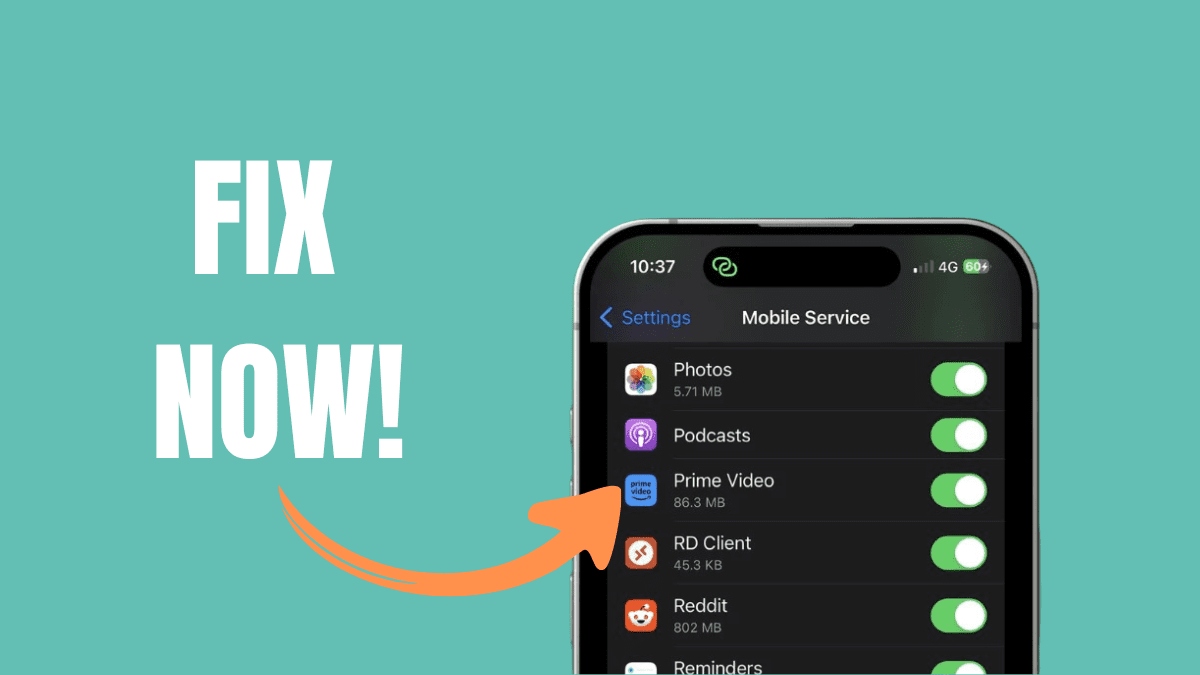
    The Fix: Settings > Cellular, scroll all the way to the bottom (past the long list of apps), and kill Wi-Fi Assist.

    Social media is sneakier than you think

    Instagram and TikTok don’t just load what you’re watching. They load what you might watch next. And the thing after that. Often in high quality.

    You’re paying for data for videos you may never see. Once you notice this, it’s hard to unsee.

    Dialling back media quality and preloading doesn’t ruin the experience. It just removes the excess.

    Instagram: Profile > Settings > Media Quality > Use less mobile data.

    Facebook: Menu > Settings & Privacy > Settings > Media > Data Saver.

    TikTok: Profile > Settings and Privacy > Data Saver.

    iCloud can wait

    This was the big one for me.

    Every photo does not need to upload immediately. Every app update does not need to happen the moment a developer pushes it.

    My phone can wait until it’s back on Wi-Fi. Nothing’s gonna break if it doesn’t happen now.

    That single change made more difference than anything else.


    App Store: Settings > App Store > Turn off Automatic Downloads under the Cellular Data section.

    Photos: Settings > Photos > Cellular Data > Toggle off Cellular Data. Your 4K sunset photos can wait until you’re back on the home network.

    Low Data Mode ( The Nuclear Option )

    If you do nothing else, do this. Low Data Mode is the “Low Power Mode” equivalent for your data plan. It intelligently pauses background tasks, reduces streaming quality, and stops those pesky automatic updates. For most people, this solves all your data issues. However emails not syncing immediately is something I can’t live with.

    • The Fix: Settings > Cellular > Cellular Data Options and toggle on Low Data Mode.

    I hate that this is necessary

    I don’t love that we have to do this. I don’t love that a premium phone requires forensic-level settings management just to behave sensibly with expensive data.

    But pretending it’s not happening doesn’t help either.

    If your data keeps disappearing, it’s probably not because you’re reckless or your network is taking your data (although there has been instances when that was the case) . It’s because your phone is doing a lot in the background that you never explicitly agreed to.

    Go into your cellular usage list. Scroll slowly. Look at the numbers.

    If something is chowing 2GB, switch it off.

    Your phone should work for you without quietly invoicing you in the background.

    Apple iOS tips Geekhub iPhone guide iCloud mobile data Instagram data usage iOS mobile data drain iPhone battery and data iPhone data usage iPhone settings South Africa Low Data Mode iOS mobile data tips South Africa reduce data usage iPhone save mobile data iPhone smartphone data management TikTok data drain Wi-Fi Assist iPhone
    Follow For The Latest Updates Follow For The Latest Updates
    Share. Facebook Twitter LinkedIn WhatsApp
    Akhram Mohamed
    • Website
    • LinkedIn

    Akhram Mohamed is the Editor of Geekhub.co.za and a longtime tech insider who’s spent 20+ years testing, launching, and talking about consumer gadgets. Formerly a VP at Huawei, he now writes with a critical eye and a deep love for tech that actually makes life better. When he’s not breaking down the latest devices, he’s gaming, building businesses, simplifying strategy, or podcasting about real-world leadership. Expect honest takes, sharp insights, and the occasional dad joke.

    Related Posts

    Sony Strengthens Its Alpha Lineup With the High-Performance 7R VI

    14 May 2026

    South African Businesses Can Now Accept Payments Using Only an iPhone

    12 May 2026

    Lesco’s Semi-Robotic Expansion Puts People Before Profit

    Lesco11 May 2026
    Opinion

    The Great AI Performance: Diary Of A Recovering Suit

    30 April 2026

    Musk Takes the Stand, and a Silicon Valley Origin Story Starts to Crack

    29 April 2026

    The Best Marketing Sometimes Starts With a Dead End

    26 March 2026

    Nostalgia Isn’t a Business Plan: The Truth About 90s Reboots

    11 February 2026
    Don't Miss
    Movies & TV

    Marvel’s New X-Men Movie Could Finally Capture What Made The Comics Special

    Shana Mohamed18 May 2026

    Marvel’s X-Men reboot plans to focus on emotional storytelling, team dynamics, and the deeper themes that made the comics iconic.

    Sony Strengthens Its Alpha Lineup With the High-Performance 7R VI

    14 May 2026

    Batman Part II: The Most Emotionally Damaged Batman Universe Yet

    14 May 2026

    Liam Neeson Trades Action For Mystery In The Splendid Thing

    13 May 2026
    About Us
    About Us

    Geekhub wasn’t built as a traditional media company.
    It was built by people who live and breathe tech.
    We test, question, and share what we learn with a community that values honest insight over hype.

    Contact: +27 83 346 2178

    Facebook X (Twitter) LinkedIn
    Our Picks

    Marvel’s New X-Men Movie Could Finally Capture What Made The Comics Special

    18 May 2026

    Sony Strengthens Its Alpha Lineup With the High-Performance 7R VI

    14 May 2026

    Batman Part II: The Most Emotionally Damaged Batman Universe Yet

    14 May 2026
    Most Popular

    AI and The Cost Of Convenience: What are we really giving up?

    27 November 2025

    OPPO Reno 12Pro 5G- A beautiful Mid-range Contender

    14 August 2024

    Huawei’s AI Chip Challenge: A David vs. Goliath Showdown?

    15 August 2024
    • Home
    • Terms of Service
    • Geekhub Editorial Policy
    • Privacy Policy
    • Get In Touch
    © 2026 Geekhub.co.za All Rights Reserved!

    Type above and press Enter to search. Press Esc to cancel.

    Go to mobile version