

Buying a new phone is fairly easy to justify. The battery has become unreliable, the camera makes everybody look as though they were photographed through a window and opening an app gives you enough time to reconsider whether you needed it in the first place. But buying a new Kindle is slightly more complicated.
Because if your current Kindle opens books, remains comfortable to read and lasts several weeks between charges, what exactly are you upgrading from? A device that already does its one job rather well?
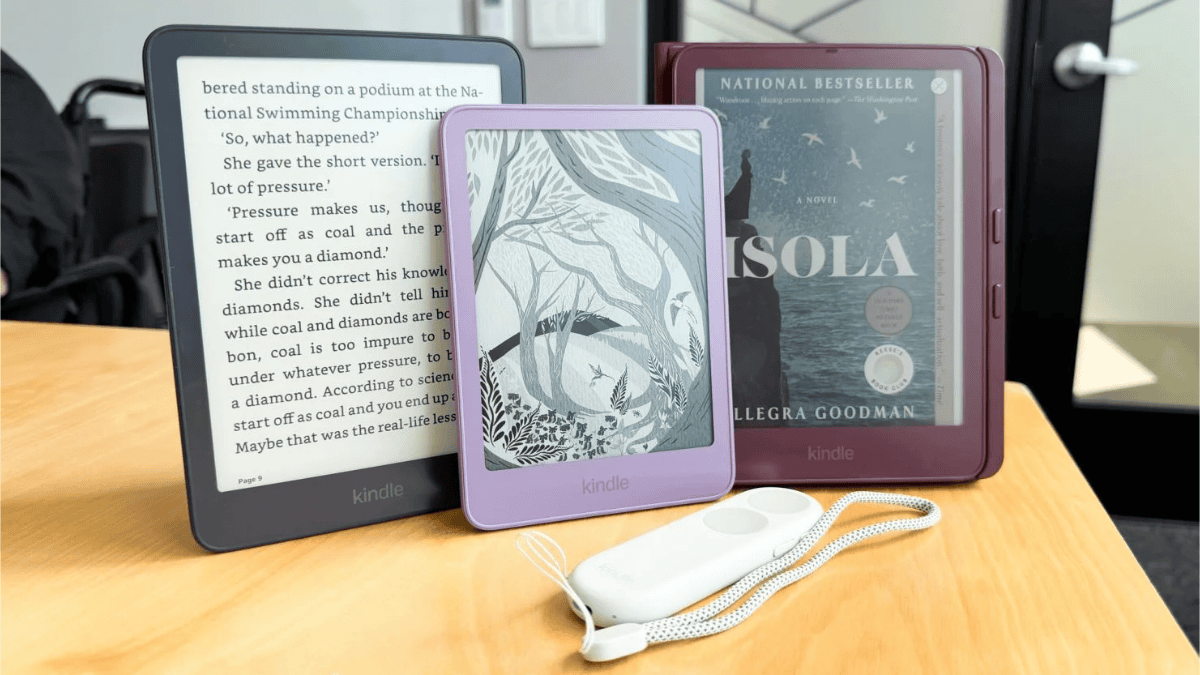
Amazon has revealed a completely redesigned Kindle range, including new Kindle, Paperwhite and Colorsoft models. The devices are thinner and lighter, with flush-front displays and new colours that wrap around the entire body. Amazon has also introduced an aluminium version of the basic Kindle, because apparently even our e-readers need a premium finish now.
And look, the new models are attractive. I can absolutely imagine seeing the purple Kindle, deciding it would improve my reading life and forgetting that the one sitting beside my bed works perfectly well. So before upgrading, it may be worth asking one rather boring but useful question. What do you actually want your Kindle to do better?
Start With What You Read
Someone who reads mostly novels will have different needs from someone working through comics, graphic novels or illustrated books. And that difference should probably have more influence on your decision than whether the device comes in Seaglass Green. If most of your library consists of ordinary text, think about what currently interrupts your reading. Is the screen uncomfortable at night? Has the battery started losing interest in its responsibilities or do you want waterproofing because you enjoy reading near water and apparently trust yourself more than I would?
Those are good reasons when considering another device because you are solving an actual problem. Wanting something prettier is also perfectly reasonable. We have all purchased an item partly because it looked lovely and then developed an explanation afterwards. But there is a difference between wanting a nicer object and needing a better reading experience. The new colour may encourage you to pick it up more often, but once you are several chapters into a murder mystery, I doubt you will still be admiring the aluminium back.
Amazon has announced the following US starting prices:
| Model | US starting price |
| Kindle | US$149.99 |
| Kindle with aluminium back | US$189.99 |
| Paperwhite | US$199.99 |
| Paperwhite Signature Edition | US$249.99 |
| Colorsoft | US$289.99 |
| Colorsoft Signature Edition | US$319.99 |
The standard Kindle includes 16GB of storage and up to six weeks of battery life. Amazon says it opens books 30% faster than the previous model. That sounds impressive until you remember that this is specifically about opening books. It does not mean the entire device suddenly performs every task 30% faster. And honestly, how long were we waiting for a book to open before?
For me, saving a few seconds is less important than being comfortable while reading for an hour. I would want to hold the new models and see the displays myself before deciding whether the changes make everyday reading noticeably better.
Colour Needs to Do More Than Decorate the Library
This is where the Kindle Colorsoft makes a stronger argument. Comics, graphic novels, travel guides and illustrated books actually use colour as part of the experience. It creates atmosphere, separates characters and allows the artwork to appear much closer to the way the creators intended. So yes, the appeal goes beyond seeing colourful covers in your digital library.
But I would still want to test it with the kind of comics I normally read. Can I follow the dialogue without enlarging every panel? Does the artwork look rich enough? Am I constantly zooming in and out until reading begins to feel like administrative work?
Those questions matter because a colour e-reader is not automatically the best e-reader for everybody. If you already read comics on a tablet, compare the two experiences before spending the money. The Colorsoft may feel gentler on your eyes, but a tablet may still offer a larger display and brighter colours. There is little point buying a dedicated comic-reading device if it makes your favourite comics more difficult to read.
Perhaps You Only Need the Buttons
Amazon has also introduced the Kindle Click, a US$34.99 Bluetooth page-turn remote compatible with the new devices and Kindle models released from 2024 onwards. There is also a US$79.99 Page-Turn Cover with physical buttons for the new Paperwhite Signature and Colorsoft Signature editions. Now this may be the most useful part of the announcement for some readers.
If you place your Kindle on a stand, read under the covers or find repeated screen taps uncomfortable, the remote may solve the exact problem that made you consider upgrading. And it does so without requiring you to buy another entire device.
That said, check the model compatibility before getting excited. An accessory is only the cheaper answer when it works with the Kindle you own. Otherwise, you have simply purchased a small button that cannot help you.
South Africa Still Needs a Price
Amazon’s announced launch-market list does not include South Africa. At the time of writing, I could not verify local pricing, stock or a South African release date for the new models. And no, converting the dollar price into rand will not give us the real answer. Import fees, delivery costs and taxes tend to arrive after the conversion and ruin everybody’s mood.
Before importing one, I would want to know the full delivered price, who handles repairs and what happens if the device arrives with a problem. Returning a faulty product becomes considerably less charming when it needs to travel to another country.
The new Kindle range appears to offer some useful improvements, especially for first-time buyers or readers who want colour. But for existing owners, I’m not convinced that thinner edges and faster book opening provide enough reason to replace a device that still works.
My approach would be to keep the old Kindle until I can name something specific that I need another one to do better.
And if you cannot think of anything?
Well, you could always spend that money on more books.
