

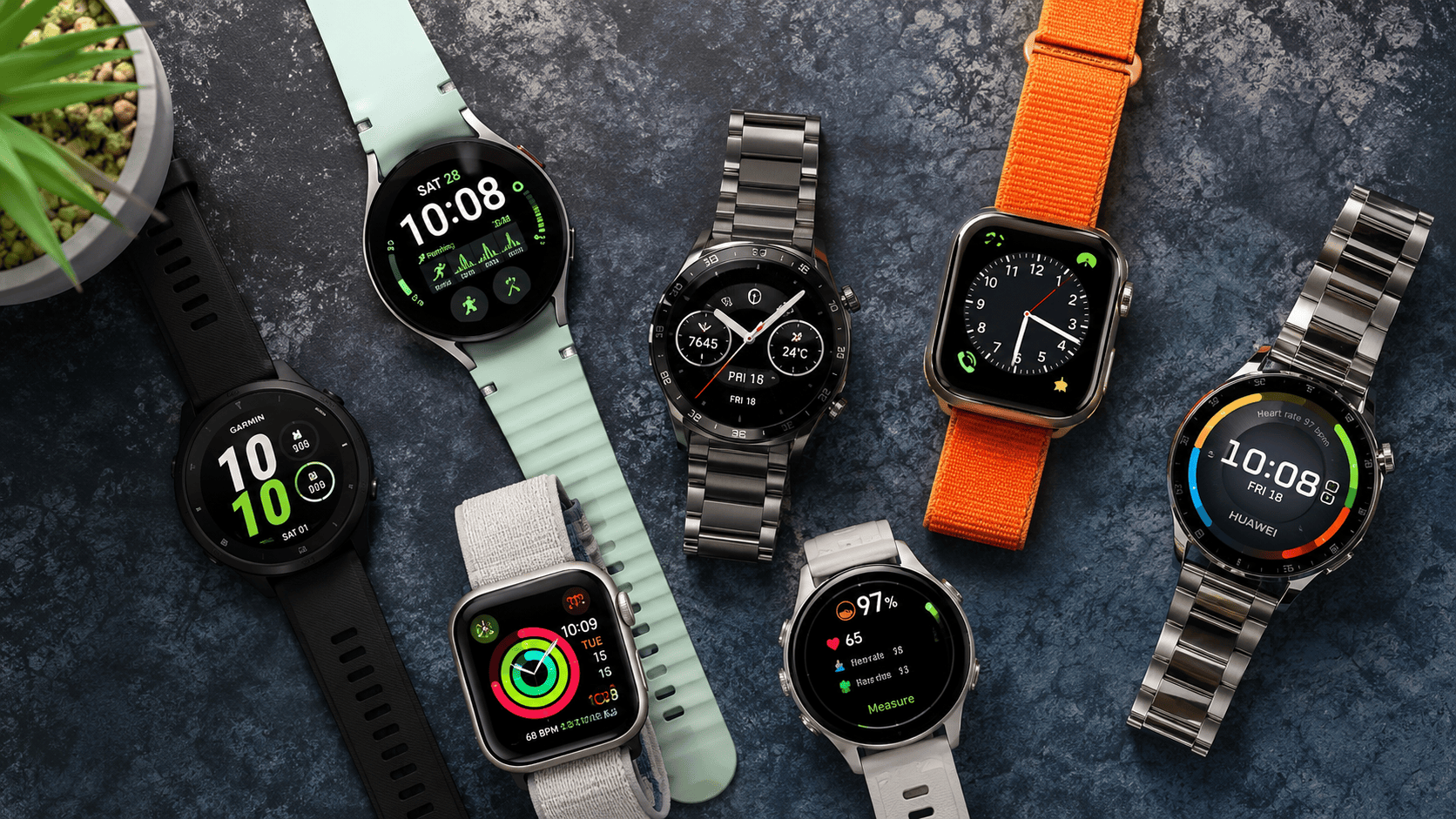
How to read the tiers and choose the right one for your phone, your training and your budget
The wearable tech market has become saturated, with dozens of brands offering wrist watches built to serve your everyday needs. With such a wide assortment, it becomes difficult to identify which one is the right fit. The guide below is designed to cut through the fluff and help you decide, breaking down pricing tiers and differentiation, phone compatibility, training and your budget. Prices are South African and move with the rand, so take them as a rough guide rather than a promise.
Smartwatch or fitness tracker: which are you buying?
It is worth knowing which one you are buying, because they are built for different things.
A fitness tracker is all about the sensors. Think of a slim band, a strap or a ring that quietly logs your steps, heart rate, sleep and recovery. It is light, you barely notice it, and it runs for one to two weeks on a charge. What it does not do is act like your phone.
A smartwatch is the opposite. It is closer to a small computer on your wrist, with its own apps, tap-to-pay, a voice assistant, proper notifications and calls from the watch itself. All of that costs battery, so most last days rather than weeks.
Here is the difference at a glance:
| Feature | Fitness tracker | Smartwatch |
|---|---|---|
| Shape | Slim band, strap or ring | Watch-style, larger screen |
| Battery | 1 to 2 weeks | 1 to 3 days (longer on some) |
| Runs apps | No, mostly mirrors your phone | Yes, full app platform |
| Payments and calling | Basic or none | Tap-to-pay, calls, even standalone LTE |
| Best for | All-day health tracking, less fuss | A phone on your wrist |
Where it gets confusing is the middle ground. Watches like the Huawei Watch Fit, the Amazfit Active and the better Xiaomi bands now have a bright screen, built-in GPS and even basic payments, so they look like smartwatches but last like trackers.
What it really comes down to is what is running underneath. A proper smartwatch runs a full operating system, watchOS, Wear OS or a mature in-house one, so it can install apps and even take its own SIM. A tracker, however good it looks, leans on your phone and sticks to health and notifications. So if you want apps, payments and calling without your phone, get a smartwatch. If you mostly want all-day health tracking and a battery you can forget about, a tracker does the job for less.
This guide is about smartwatches, but the best trackers, from Huawei, Xiaomi and Samsung’s Galaxy Fit, show up in the budget and value tiers below, because for plenty of people they are the smarter buy.
Start here: which phone do you have?
Before you look at any watch, ask yourself one thing: which phone do you have? This matters more than the price. If you have an iPhone, the Apple Watch is the only watch that works fully with it, most others either will not connect at all or lose features when they do. If you have an Android phone (Samsung, Huawei, Honor and so on), the Apple Watch will not work for you at all, and you will be choosing from Samsung, Huawei, Garmin, Amazfit and the rest. So check your phone first; it saves you falling for a watch you cannot use.
The four smartwatch price tiers at a glance
Smartwatches fall into four broad groups. Here is the quick version, with the rest of the article explaining each one.
| Tier | What it is | Brands | Price | Best for | Watch out for |
|---|---|---|---|---|---|
| Flagship | Does everything, very polished | Apple, Samsung | R5 800 – R19 500 | One watch for everything | Daily charging; pricey; ties you to one phone brand |
| Value | Most watch for the money | Amazfit, Huawei GT, Honor, Oppo, Vivo | R2 000 – R7 000 | Fitness tracking for less | Patchy payments and apps; works best with the matching phone |
| Athlete | Built for serious sport | Garmin, Coros, Polar, Suunto | R5 000 – R20 000+ | Runners and cyclists who train | Few smart features; clumsy on iPhone; overkill if you don’t train |
| Budget | Steps and notifications only | Polaroid, Volkano, Astrum, Spectra, Canyon, Colmi | R199 – R1 999 | A first watch or a gift | Unreliable sensors; often no real GPS; weak apps that may not link to Strava |
Tier 1: Flagship smartwatches (Apple and Samsung)
These are the most capable watches you can buy, and they feel like a small phone on your wrist. You get apps, tap-to-pay, a voice assistant, the ability to reply to messages and genuinely accurate health sensors. They also cost the most. In South Africa the two names that matter here are Apple and Samsung.
Apple Watch: the best smartwatch for iPhone
Apple makes the best watch for iPhone owners, and the lineup splits cleanly into three models. The SE 3 is the most affordable option at around R5 800. The Series 11 is the mainstream pick, with a bright screen, sleep tracking, and health alerts for things like high blood pressure and sleep apnoea, from about R9 400. At the top sits the Ultra 3, the largest and toughest of the three, built for sport and the outdoors, priced between R18 800 and R19 500. The one consistent compromise across the range is battery life: expect to charge an Apple Watch every day or two.
Each model also comes in different variants, so the price you see depends on the configuration you pick. The first choice is case size, which is the physical size of the watch rather than just the screen. The SE 3 comes in 40mm and 44mm, the Series 11 in 42mm or 46mm, and the Ultra 3 in a single, larger 49mm. A bigger case means a bigger display and usually a higher price. The second choice is connectivity. The SE 3 and Series 11 each come in GPS-only or GPS plus Cellular. The GPS-only model needs your iPhone nearby for texts, calls, and notifications, though its built-in GPS still tracks workouts on its own. The Cellular version adds its own mobile connection, so the watch works without your phone, for a higher price. The Ultra 3 keeps it simple: cellular is built into every model, with no GPS-only option.
Samsung Galaxy Watch: the best smartwatch for Android
Samsung is the best choice for Android, especially if you already own a Galaxy phone. The range splits into three models. The standard Galaxy Watch 8 is the everyday pick: lighter, slimmer and the most comfortable to wear all day and to sleep in, and the only one offered in two sizes, 40mm or 44mm, so you can match it to your wrist. It starts at around R8 000. The Galaxy Watch 8 Classic, about R10 000, is the one to choose if you want a more premium look and the rotating ring around the screen, which you turn to scroll instead of poking at a tiny touchscreen. It comes in a single 46mm size and a polished stainless steel body. The Galaxy Watch Ultra sits at the top for sport and the outdoors, at around R18 000: a rugged 47mm titanium case, the toughest build in the range and the longest battery life, aimed at hiking, diving and harder training rather than everyday wear. Across the Watch 8 and Classic you choose between a standard version and a GPS plus LTE version, where LTE lets the watch make calls and send messages on its own without your phone nearby. The Ultra comes with LTE built in as standard. One thing to know: some health and AI features only work fully with a Samsung phone. The Galaxy Watch 9 generation is expected around the middle of 2026, so check the latest model before buying.
Two things to keep in mind across this tier. They are expensive, and they lock you to one phone brand. An Apple Watch only works with an iPhone, and a few Samsung health features only work properly with a Samsung phone, so the watch quietly keeps you with that maker. Throw in charging every day or two, and that is the price of all the capability.
Tier 2: Value smartwatches (Huawei, Amazfit and more)
For most people, this is where the sensible money goes. These watches handle the things that matter, your fitness, your notifications, apps like Strava, for a lot less than a flagship.
Huawei’s GT range is the standout here, starting around R4 999, with a great screen, proper fitness tracking, Strava support and that famous two-week battery. The Amazfit Active line is a solid alternative at around R4 500 (sold through Sportsmans Warehouse, Total Sports, Sportscene and online), and there are capable options from Honor, Oppo and Vivo too. These are real fitness watches, not toys.
One thing to know about the Honor, Oppo and Vivo options: they are ecosystem watches, built to work best with a phone from the same brand and worst with an iPhone, so check that pairing before you buy. Honor’s Watch 5 and 6 add GPS and blood oxygen support; Oppo’s Watch X2 runs Google’s software but barely works with an iPhone.
So what are you giving up against a flagship? A few real things. Tap-to-pay is hit and miss, so you cannot count on leaving your card at home. The app is usually clunkier, and notifications and quick replies are less reliable than on an Apple or Samsung watch. None of it is a dealbreaker for most people, but that is what the lower price costs you.
A quick note on “Music” versions
Some watches, here and from Garmin, come in a slightly pricier “Music” version that can store songs on the watch itself, so you can pair wireless earbuds and listen while you run with no phone needed. The normal version only controls music already playing on your phone. If you want to run phone-free, the Music version is worth it; if not, save the money.
Tier 3: Athlete smartwatches (Garmin, Coros, Polar, Suunto)
These watches are different. They are built for sport first and act like a watch second. They suit runners, cyclists, hikers and anyone training seriously. You will not get many phone-style features, but you get very accurate fitness tracking, detailed training and recovery data, and battery that lasts for days or even weeks. Prices run from about R5 000 to over R20 000.
A few things to know before you commit. The smart side is thin, payments, apps and notifications are limited next to a flagship watch, and they feel awkward on an iPhone (more on that below). They are also far more watch than you need if you are not really training; you would be paying for running and recovery data you might never open. If you just want steps, notifications and a clean app, a value or flagship watch is the better buy.
Garmin leads, with Coros, Polar and Suunto alongside
Garmin is the leader, and the easiest to buy and service locally (through shops like Navworld). A good place to start is the Forerunner range, Garmin’s running watches, with friendly entry models that offer training plans and many days of battery for around R6 000 to R7 000, without drowning you in stats. From there the range climbs through the lifestyle-focused Venu watches to tougher, more advanced models like the Fenix and Instinct. Garmin refreshes these lines often, so check which model is current when you buy.
Coros, Polar and Suunto are the other serious brands. They all work with Strava, and all work with iPhone and Android, so you are not tied to one phone maker.
One honest point about athlete watches on iPhone
As someone who is not a runner, I tried using a Garmin with my iPhone. It connected fine, but day to day it felt clumsy: the notifications and small details never worked as smoothly as they should. I went back to the Apple Watch, where everything just worked. That is the lesson of this tier. These watches are brilliant for people who really want the training data, but if you are an iPhone owner who is not a serious athlete, the Apple Watch will suit you better.
Tier 4: Budget and basic smartwatches
These are the cheap watches you see everywhere, from R199 to about R1 999. Some are fine, many are not, and this is where you have to be most careful, because a watch that says “GPS” often just borrows the signal from your phone. You do not have to avoid the tier completely: trusted local brands like Polaroid, Volkano, Astrum, Spectra, Canyon and Colmi sell decent budget watches with good battery, fair step counting, calls and notifications, which is all many people want from a first watch or a gift. Samsung’s Galaxy Fit band also lives here, around R1 200 to R1 500, with two-week battery life.
What to watch for in a budget smartwatch
This tier has real weaknesses, so go in with your eyes open. The health sensors are basic and often unreliable, so do not trust the heart-rate, oxygen or sleep readings for any real health decision. Many have no proper built-in GPS, they borrow the signal from your phone, so they cannot record an accurate run on their own. The companion app is often the weakest part: clunky, rarely updated, sometimes poorly translated, and on cheaper units it may not link to Strava, Apple Health or your medical aid at all, leaving your data stuck. And no-name watches with fake-sounding features and no local warranty are best avoided entirely. If you want cheap, a real band from Xiaomi, Honor or Samsung is a far safer bet than an unknown brand at the same price.
The app behind the watch: where your data actually lives
Every watch comes with a companion app on your phone, and that is where all your numbers actually live. The watch is the sensor on your wrist; the app is where you see the trends, set goals and make sense of it all. People underrate how much it matters. A good app turns raw data into something useful; a bad one just leaves you staring at numbers. The app is tied to your phone brand too, which feeds into the lock-in problem.
Apple splits this across two apps. The Health app is the vault, quietly storing everything (steps, heart rate, sleep, workouts) in one place and letting other apps, including medical aids, read from it with your permission. The Fitness app is the friendly front end, showing the three Activity rings (Move, Exercise, Stand) you try to close each day, plus your workout history. Pay for Apple Fitness+ and you also get guided workout videos that follow along on your watch.
Samsung uses a single app, Samsung Health, covering steps, heart rate, sleep, workouts and wellness features like stress. It works best on a Samsung phone but runs on most Android phones, and like Apple it can share its data with other apps when you allow it.
The other brands each have their own: Huawei and Honor use Huawei Health and Honor Health, Amazfit uses Zepp, and Garmin uses Garmin Connect, the most detailed of the lot for training and recovery. They cover the same basics, but the polish varies, worth knowing before you buy a cheap watch, because if the app is clumsy or rarely updated, the daily experience suffers. With cheap no-name watches this bites hardest: they often come with a generic, sometimes poorly translated app that connects to nothing, so your data is stuck inside it and cannot flow to Strava, Apple Health or your medical aid.
One more thing worth knowing: most of these apps can hand your data to a central hub, Apple Health on iPhone and, increasingly, Google’s Health Connect on Android. That is how a Garmin or Amazfit watch can still feed your steps into Apple Health, or how your medical aid can read your workouts. It is also what makes the next section, on Discovery Vitality, work.
Smartwatches and Discovery Vitality: earning points on your wrist
If you are on a South African medical aid with Discovery Vitality, your smartwatch can do more than track your health. It can earn you points and rewards, which is a big reason smartwatches sell so well here. It works like this: you link your watch to Vitality through the Discovery app, give it permission to read your activity, and your workouts and steps start earning Vitality fitness points. Those points build your status, which unlocks discounts and cashbacks on gym fees, healthy food, flights and more. Over time, the watch you are already wearing can help pay for itself.
What links up. Vitality connects to a wide range of devices, but the catch is that each watch links through its own brand’s app, so what matters is whether that app runs on your phone. An Apple Watch only earns points if you link it through the Discovery app on an iPhone, and a Samsung Galaxy Watch only earns points if you link it through the Discovery app on an Android phone. Garmin, Huawei, Polar and Suunto are more flexible and link on both iPhone and Android. So before you buy, it is worth checking that your chosen watch lines up with the phone you carry, otherwise you could miss out on points.
Here is how the main brands sold in South Africa line up against the phone you carry. A “Huawei phone” means a newer Huawei running its own App Gallery rather than Google services.
| Brand | iPhone | Android phone | Huawei phone |
|---|---|---|---|
| Apple Watch | Yes | — | — |
| Garmin | Yes | Yes | — |
| Huawei | Yes | Yes | Yes |
| Polar | Yes | Yes | Yes |
| Samsung Galaxy Watch | — | Yes | — |
| Suunto | Yes | Yes | — |
A dash here means the watch will not earn Vitality points on that phone, not that it will not pair at all. The limit is the linking app: Samsung Health, Garmin and a few others are not available on the Huawei App Gallery, so on a newer Huawei phone running HarmonyOS without Google services you cannot complete the Vitality link, even though the watch itself may still connect.
The practical takeaway: if you are an iPhone owner on Vitality, an Apple Watch is the natural fit, while Garmin, Polar and Suunto also work well across the athlete and value tiers. If you are on Android, a Samsung Galaxy Watch fits neatly, with Garmin, Huawei, Polar and Suunto as flexible alternatives. Whichever you choose, link it in the Discovery app under the Vitality tab, allow it to share your workout data, and remember that if you link more than one device, Vitality only counts the highest points-earning activity per day.
On top of earning points, qualifying members on Discovery Bank can effectively get a watch fully funded over time by hitting their weekly exercise goals, with Apple Watch and Garmin among the options. The terms change from year to year and need a qualifying Discovery Bank account, so check the current rules in the Discovery app. Even without that deal, simply linking any compatible watch to earn fitness points is open to ordinary Vitality members and well worth setting up.
Smartwatch jargon, explained simply
Strava is not a watch. It is a free app (with a paid option) where your runs, rides and walks are saved, mapped and shared. Think of it as a diary and social network for exercise. Your watch records the activity; Strava is where you look at it. The good news is that almost every watch from a recognised brand links to Strava without fuss, Apple, Samsung, Huawei, Amazfit, Garmin and the rest, so this is rarely something you need to worry about when choosing one of those. Garmin is simply the brand most popular with the serious runners and cyclists who live on Strava, but that is about the crowd, not about the watch connecting any better.
One catch worth knowing: connecting to Strava is not automatic for every watch. The watch needs a proper companion app that either offers a direct “connect to Strava” link (sign in once, activities sync forever) or can feed your data into Apple Health on iPhone or Google Health Connect on Android, which Strava then reads from. Every known brand does at least one of these; cheap no-name watches often do neither, which is the real reason to check a budget watch’s app before you buy.
GPS is what lets the watch track where you go. A watch with proper “built-in GPS” can record your exact route, distance and speed on a run, without your phone. A cheap watch with only “connected GPS” needs your phone nearby to do this. If accurate tracking matters to you, look for the words “built-in GPS”.
LTE (also called cellular or eSIM) lets the watch work like a phone on its own, making calls and sending messages with no phone nearby. In South Africa this is usually an extra you add to your existing number through your network, for around R99 a month. It is handy for running with just your watch and staying reachable, but most people do not need it since their phone is usually with them.
Water rating tells you if you can swim with the watch. You will see two kinds. “IP68” means it survives rain, sweat and splashes, but not real swimming. “5ATM” means it is safe for swimming in a pool or the sea. Most good watches have 5ATM. Whatever the rating, never press the buttons underwater, and do not wear it in a hot shower or sauna.
Which smartwatch should you buy? The short version
If you skipped to the end, here is the short version. Find the line that fits you.
You have an iPhone. Get an Apple Watch, nothing else comes close on an iPhone. The latest Series (the Series 11) is the sweet spot for most people. Drop to the SE 3 (from about R5 800) to save money if you can live without the top-end health sensors and case finishes, or step up to the Ultra 3 for the outdoors, where the real prize is battery life, roughly double the others.
You have a Samsung phone and want the best. Get a Samsung Galaxy Watch. The Classic is the one to look at, for its physical rotating ring you turn to scroll (nicer than poking a tiny touchscreen) and its more premium finish, with the Ultra above it as the rugged, longest-battery option. A new generation is expected around mid-2026, so check the latest model first, and note the rotating-ring Classic may not return every year.
You want the best value. Look at the Huawei Watch GT range, which gives you a great screen, proper fitness tracking, Strava compatibility and a two-week battery for a fraction of a flagship price, with the Amazfit Active as a solid alternative. These are real fitness watches that do almost everything the expensive ones do.
You are a serious runner or cyclist. Go Garmin. The Forerunner range is the place to start (friendly entry models that will not drown you in stats), the Venu range is the more lifestyle-friendly option, and the Fenix sits at the top for rugged outdoor use with maps and the longest battery. All work with both iPhone and Android through the Garmin Connect app.
You just want something cheap. Stick to a trusted name: Polaroid, Volkano, Astrum, Spectra, Canyon, Colmi or a Xiaomi band gives you steps, notifications and decent battery for very little. Avoid the generic no-name watches on marketplace listings, they come with poor app support and weak, unreliable sensors.
Pick the watch that suits your phone, your activity and your budget, and you will be happy with it. As long as you stick to a recognised brand, it will track your steps and connect to Strava, so for everyday use you really cannot go far wrong.
