

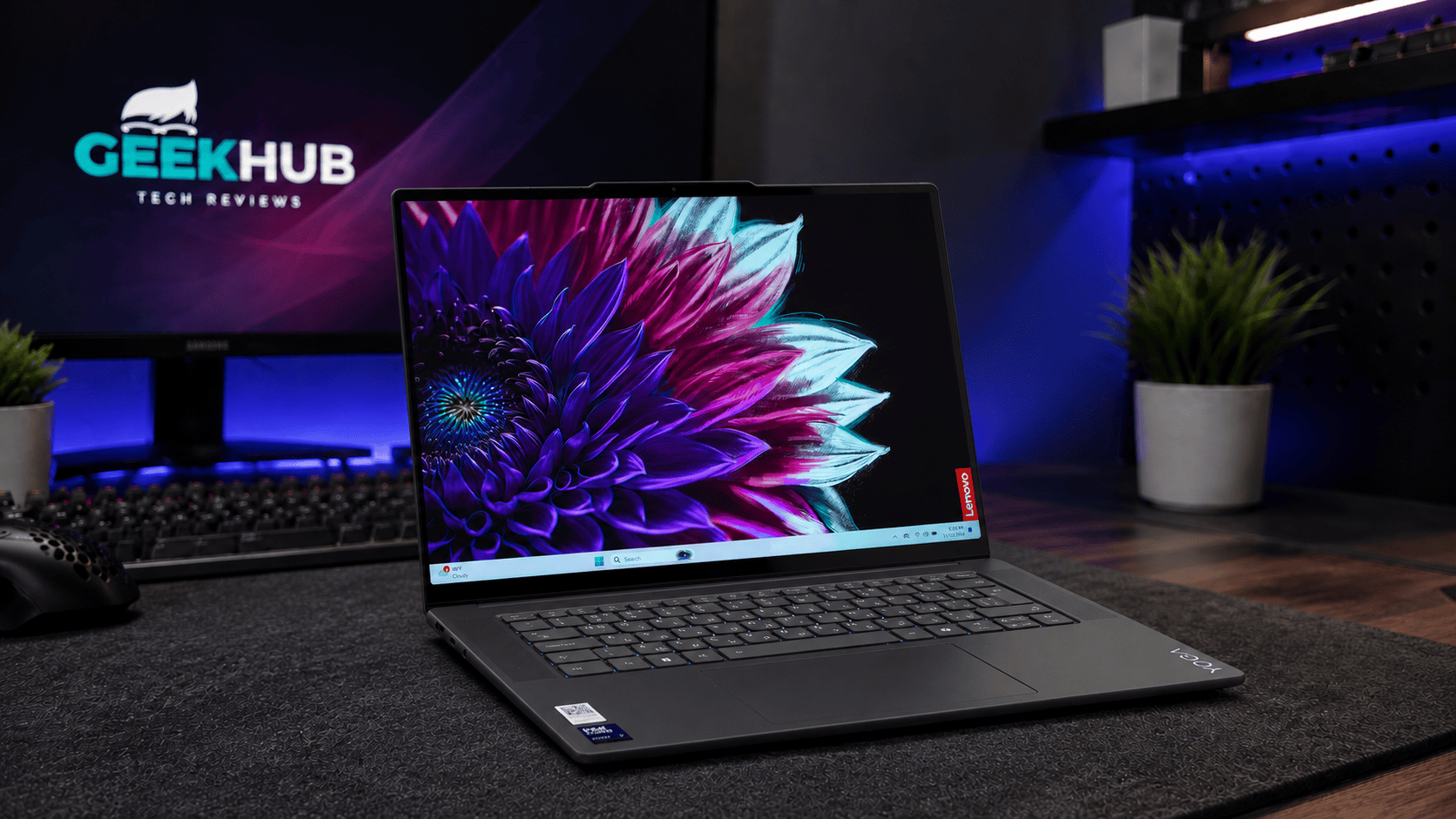
I’ve been using an M1 MacBook Air for long enough that I don’t spend much time thinking about the laptop itself anymore. It’s where I write, run my businesses, deal with emails and leave open all the browser tabs I’m convinced I’ll come back to later. There’s a comfort in that familiarity, although it also means that whenever I review a Windows laptop, I have to remind myself that being used to something doesn’t necessarily make it better.
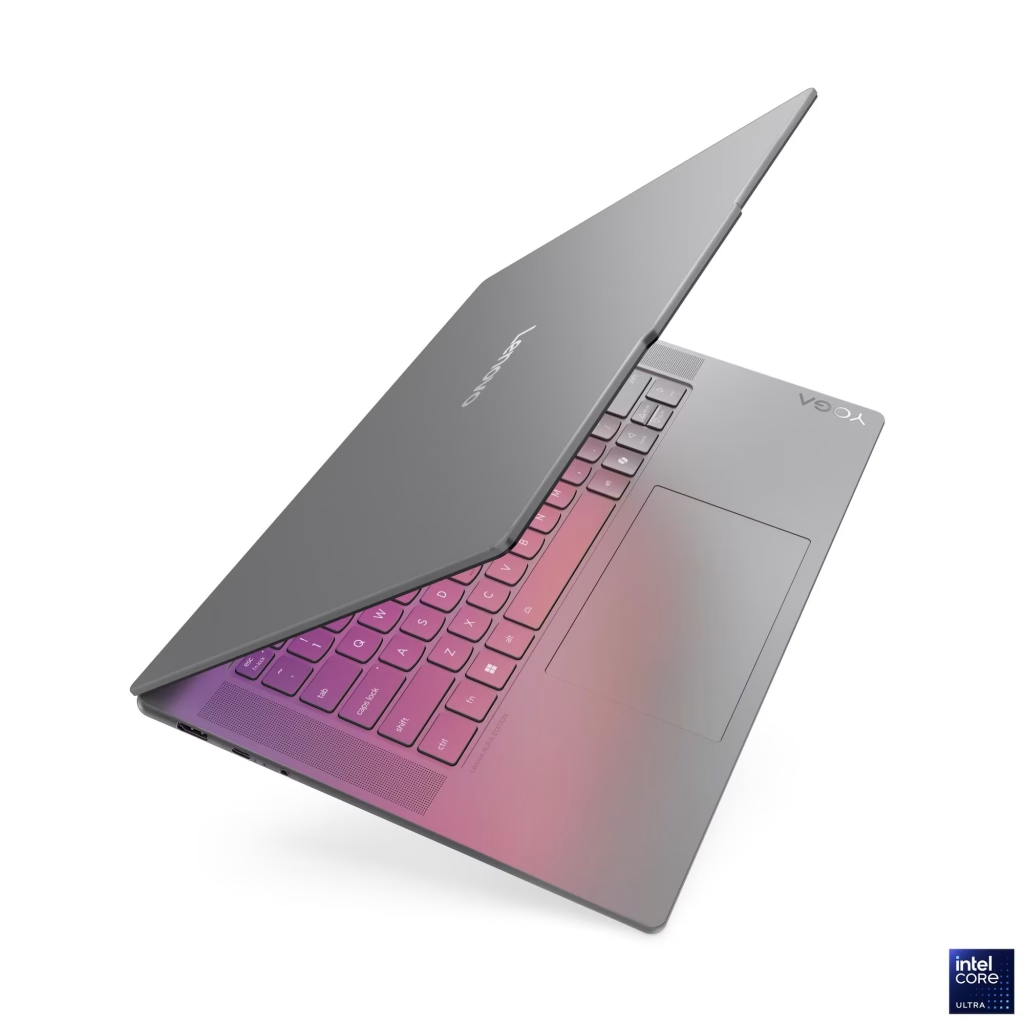
For the past week, the Lenovo Yoga Slim 7 Aura Edition has been the subject of that comparison. It’s a slightly exhausting name for a fairly straightforward proposition: a premium Windows laptop for people who want a decent-sized screen and enough performance to get through their work without carrying around something that feels like office equipment.
There’s plenty about it that makes sense to me. I like the emphasis on screen space and connectivity, and I can see the appeal for someone whose laptop needs to travel between home, meetings and whatever table happens to become their office that day. Where I’m less convinced is the configuration you get for the South African asking price.
The model I tested costs R29,999 at Evetech, with an Intel Core Ultra 7 256V processor, 16GB of RAM and a 512GB SSD. That’s serious money, particularly if you’re buying it yourself rather than collecting it from the IT department, and it deserves a little more scrutiny than “premium design” and an AI badge.
There’s a lot to be said for having more screen
My MacBook Air is a 13-inch machine, so the Lenovo’s 15.3-inch display immediately changes the amount of space available to work with. For someone who writes with research open alongside a document, or spends time moving between website dashboards, the attraction is obvious. You can only shrink windows so much before you start wondering why you’re making life difficult for yourself.
Lenovo has also given this screen more than just size. It has a 2880 × 1800 resolution, a taller 16:10 shape, touch support and a refresh rate of up to 120Hz. That last detail is worth mentioning because my older Air’s display is limited to 60Hz, and smoother scrolling is a benefit you don’t need to be a gamer to appreciate.
It’s an IPS panel rather than OLED, with a quoted brightness of 500 nits. You therefore don’t get the same deep blacks that make OLED so appealing for films and games, and the glossy finish means you need to think about reflections if you tend to work beside a window. Those are reasonable trade-offs to discuss at this price, even with an otherwise attractive display specification.
Touch is one of those features I wouldn’t necessarily insist on when shopping, but I’m happy to have the option. I still think a keyboard and trackpad make more sense for most of my work, although there’s no harm in being able to reach out and tap something when that feels easier. Just don’t confuse the Yoga name and touchscreen with a machine that folds into a tablet. This is a conventional laptop.
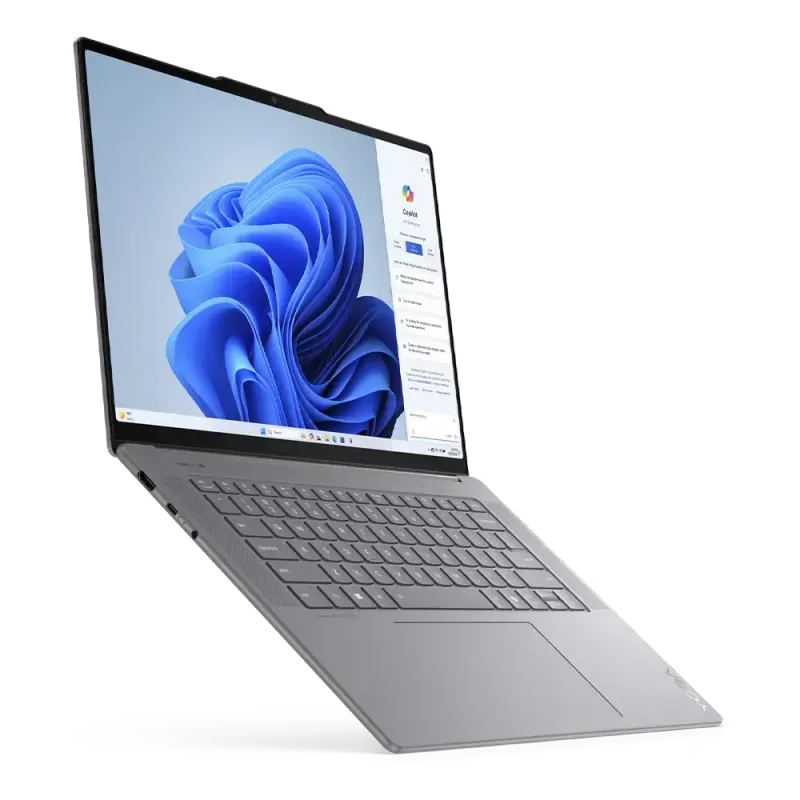
The larger screen does mean a larger machine to carry. At around 1.53kg, the Lenovo is reasonable for its size, but someone moving from a smaller Air should consider the footprint as well as the weight. That extra space is welcome on a desk and somewhat less welcome on a cramped table.
Lenovo remembered that we still plug things in
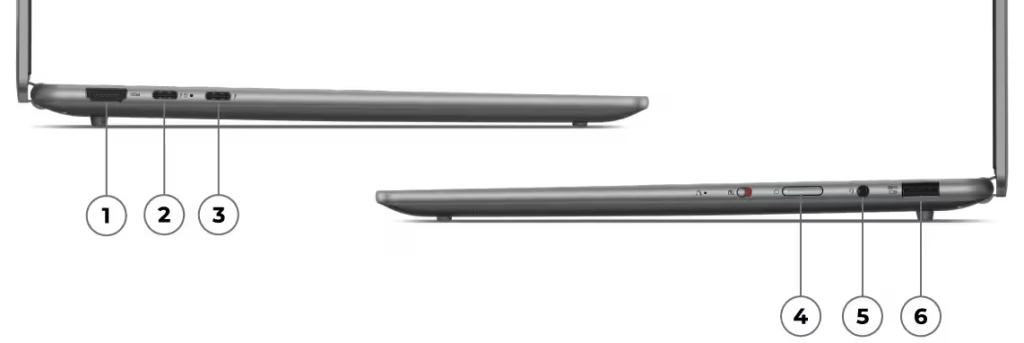
I’ve spent enough time in meetings and at events to appreciate an HDMI port more than some of the features manufacturers spend entire presentations explaining.
The Yoga gives you HDMI, USB-A, two Thunderbolt 4 USB-C ports and a headphone socket, with a USB-C connection on either side. Coming from the M1 Air, that is a useful amount of flexibility. There’s no SD card reader, so photographers will still need an adapter, but the basics are covered.
You might only need that USB-A port occasionally, but when someone hands you a flash drive or you need to connect an older accessory, it’s nice to get on with it. The same applies to presenting. I’d rather spend the five minutes before a meeting thinking about what I’m going to say than establishing who in the room owns the correct dongle.
The grey aluminium body fits that work-focused approach. It’s restrained, which suits me, and doesn’t look out of place in a professional setting. I don’t need a laptop to express much of my personality. There are enough other opportunities to do that.
The bits you touch all day deserve attention
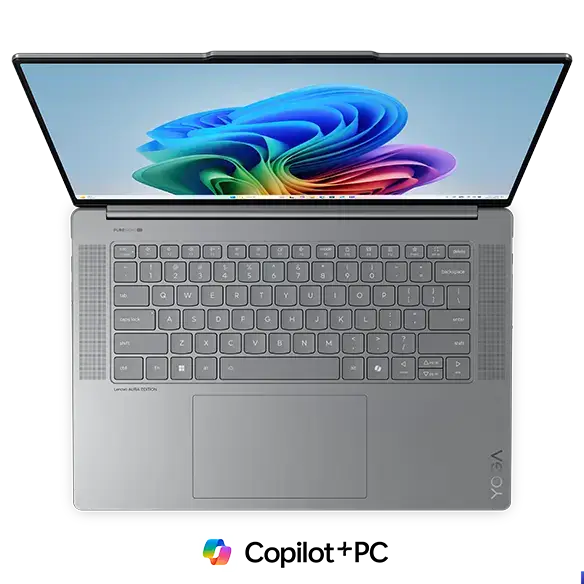
When you spend as much time writing as I do, the keyboard matters. It’s also difficult to judge from a product listing, because a specification can tell you about key travel without telling you whether you’ll enjoy typing a few thousand words on it.
Lenovo specifies 1.5mm of travel for the backlit keyboard, while the glass touchpad uses a mechanical click. That’s a relevant distinction for MacBook owners because Apple’s Force Touch trackpad works differently, and familiarity with its feel and gestures can become a surprisingly large part of your attachment to the machine.
I would spend time with both before buying, especially if you’re considering a move from a Mac. Open a document, select text, drag a few windows around and see how it feels. It’s easy to overlook those details while comparing processors, but they’re the ones you’ll be living with every day.
The Yoga also includes a 1080p infrared webcam for Windows Hello facial recognition, an electronic camera privacy switch and a four-speaker setup. They’re sensible features for a laptop likely to spend time on video calls and playing something in the background while you work.
What exactly are you asking it to do?
The Core Ultra 7 badge sounds impressive, although the important part here is the particular processor behind it. The 256V is from Intel’s Lunar Lake family, which puts considerable emphasis on efficiency.
That suits the purpose of this laptop. Most of my working day involves writing, research, browser-based tools and business administration, with several things competing for attention at once. I’m interested in a machine that can accommodate that kind of workload without becoming an inconvenience and the this Lenovo does a sterling job at that.
However, someone spending their days on complex video projects, rendering or other sustained processing tasks has a different set of requirements, and I wouldn’t assume the Ultra 7 name settles that buying decision. You need to look at how the machine handles the applications that earn you your money.
What gives me more pause is the 16GB of memory, because you cannot upgrade it. It’s a workable amount for everyday productivity, but I would want to think carefully about buying a fixed 16GB configuration for nearly R30,000, particularly if the intention is to keep it for several years.
I’m similarly lukewarm about the 512GB SSD. It’s manageable if most of your work lives online and you’re disciplined about storage, but photographs, videos and games have a way of making that capacity feel smaller than it looked on the box. The SSD can be replaced, which is good news, although an upgrade is another cost to factor in.
You can clock off and play something
Of course, this is Geekhub, and I’m not going to discuss a laptop purely in terms of email and spreadsheets.
The Yoga has Intel Arc 140V integrated graphics, which shares the system’s memory rather than having its own dedicated graphics memory. Gaming is therefore something to approach with sensible expectations, but it’s still part of the machine’s appeal.
I’d start with lighter competitive games, indie titles and older releases rather than assume the latest demanding game will run happily with everything turned up. That gives you a large and worthwhile library to consider, especially if you’re happy choosing games around the hardware rather than buying hardware around one particular game.
For anything more demanding, the screen’s native 2880 × 1800 resolution is an ambitious target for integrated graphics. Lowering the rendering resolution and adjusting quality settings are sensible starting points, with supported upscaling worth exploring where available. The right combination will vary from game to game, and I’m not going to attach frame-rate figures to titles I haven’t benchmarked on this configuration.
It’s also worth separating the 120Hz screen from the performance needed to make full use of it. The display’s refresh rate doesn’t mean the laptop will produce 120 frames per second in whatever you install.
The memory and storage limitations come back into the conversation here too. The graphics hardware is sharing that 16GB with the rest of the system, while a few large game installations can take a substantial bite out of the SSD.
For a MacBook user, Windows’ broader game compatibility is an attraction in itself. Having access to more games is useful, even if you still have to be realistic about which ones suit this hardware.
I can see the appeal for someone who wants to finish their work and spend an hour playing something without moving to another device. If gaming is one of the main reasons you’re spending R30,000, though, I would be looking at dedicated graphics and accepting that the resulting laptop may be heavier and less convenient to carry.
Battery life is where MacBook owners become demanding
One of the reasons I’ve stayed comfortable with the Air is that battery life forms part of the experience rather than something I want to keep managing. When a laptop is meant to be portable, I expect to use it away from a desk without constantly negotiating with the battery indicator.
The Lenovo has a 70Wh battery, and efficiency is a substantial part of the processor’s appeal. That’s a promising combination, although I’d be careful about turning a quoted playback figure into an expectation for a working day.
A day spent writing is different from one filled with video calls, downloads and demanding applications. Brightness and refresh-rate settings also matter, while gaming will draw considerably more power. I’d keep the charger nearby for longer gaming sessions.
There’s another difference for anyone coming from a fanless Air: this Lenovo has cooling fans. Active cooling is perfectly normal, but it means silence under every workload isn’t part of the deal. Whether that matters will depend on what you do and how sensitive you are to noise.
I’m less interested in the word “Aura”
Lenovo’s Aura Edition extras include Smart Modes, Smart Share and Smart Care, covering things such as activity settings, photo sharing with supported phones and access to support tools.
Some of that could be useful. Moving photographs between a phone and a laptop is a regular part of publishing online, so anything that makes it easier has my attention. Support for both Android and iOS is also welcome, although compatibility and setup still need to be considered.
I’m just reluctant to give these features too much influence over the purchase. The same goes for the AI branding. Dedicated hardware can help with supported workloads, but I’d want to know what it does for the applications I actually use before assigning much value to it.
At this price, I’d be buying the screen, the construction, the connectivity and the computer’s ability to do my work. Software extras can prove their usefulness once they become part of a routine.
Would I spend my money on it?
There’s a lot about the Yoga Slim 7 Aura Edition that I understand and appreciate. The larger display is useful, the connections make life easier, and the balance Lenovo is aiming for suits people who need a proper work machine they can carry around. Being able to fit in some gaming afterwards gives it another dimension.
The price is where I become more demanding. At R29,999, I would feel considerably happier with more memory and storage, especially given that the RAM decision is permanent. Evetech lists a two-year warranty, which is worth noting, although I would confirm the service arrangements and battery coverage before paying.
I also have to be fair about the MacBook comparison. My M1 Air is an older machine. Finding advantages over it doesn’t automatically make the Lenovo the best use of the same money today, and anyone buying should compare current alternatives in equivalent configurations.
For someone who already wants Windows, values a larger screen and needs a laptop that can move comfortably between work and a bit of entertainment, this Yoga is worth considering. For me, the most persuasive parts are the ordinary ones: more room to work and fewer things to plug in through an adapter.
Those are benefits I’d use. I’d just like a little more memory and storage included in the bill.
